Upcoming UI Enhancement in PrintFactory Layout: A Better Experience for New Users
We’re pleased to announce an important improvement coming to all new PrintFactory installations: an updated default user interface for our Layout application. This enhancement is designed to help new users onboard faster and navigate the software with greater ease from day one.
A More Intuitive Starting Point: Easy UI Mode
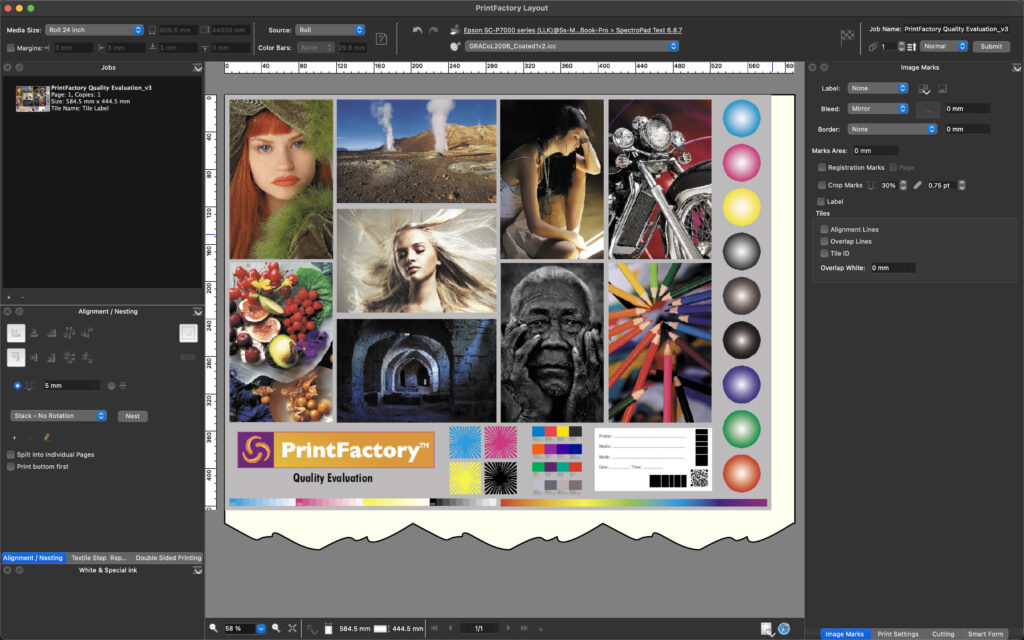
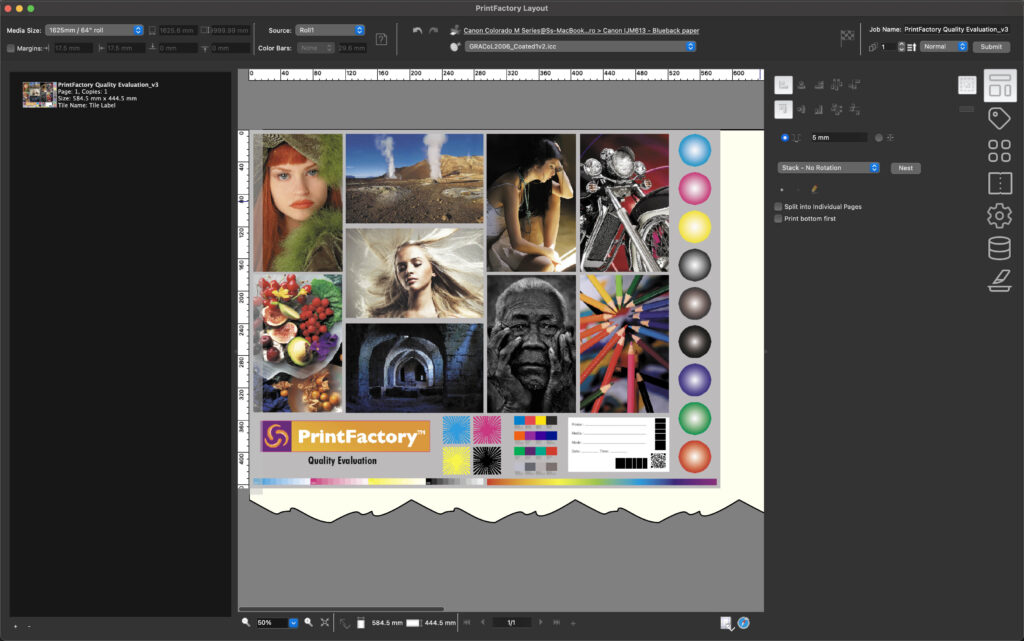
To simplify the learning curve, the Layout application will now open in Easy UI mode by default. This updated interface offers a cleaner, more streamlined workspace that highlights the essential tools and workflow steps—ideal for users who are just getting familiar with Layout.
Our goal is to ensure that new operators can begin working confidently without feeling overwhelmed by advanced panels or complex layouts. Easy UI mode provides exactly that: a clear, intuitive introduction to the Layout environment.
No Impact on Existing Installations
It’s important to note that this change will not affect any current PrintFactory installations. If a user has already chosen and saved their preferred Layout view, that selection will remain untouched. Their workflow will continue exactly as before.
This update applies only to new installations where no preferences have yet been set.
Comparing the Views & Adjusting Preferences
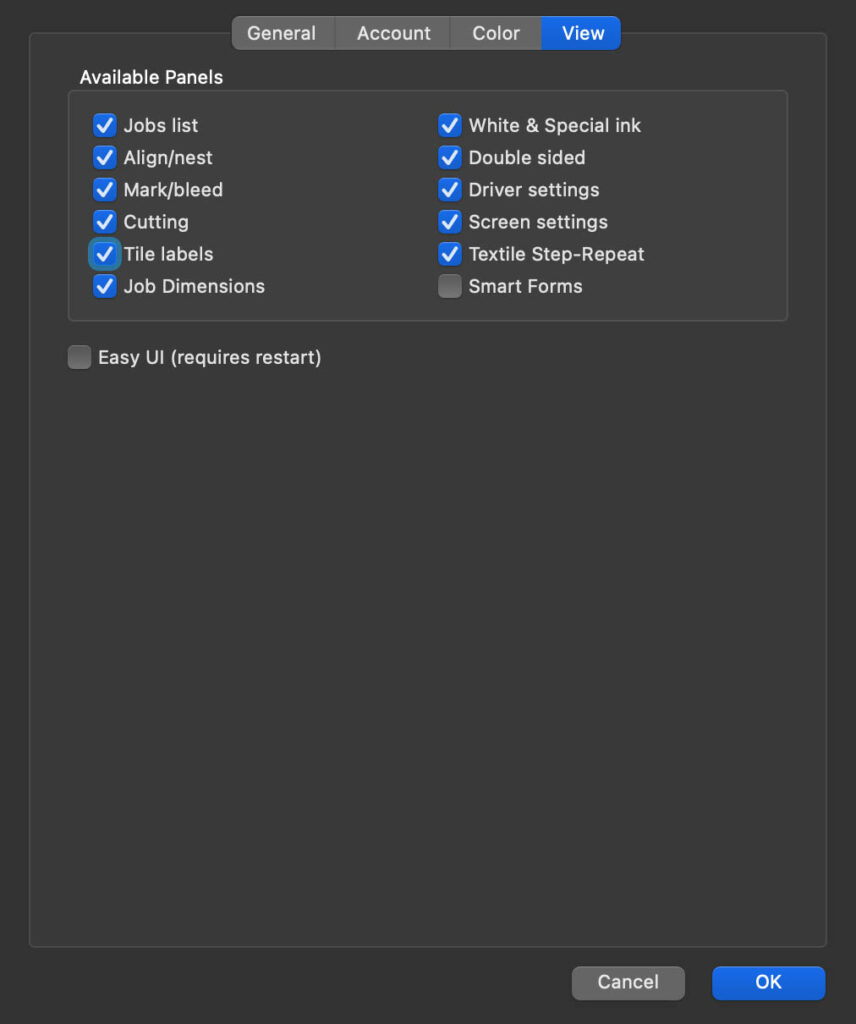
To support you in communicating this change to your customers, we’ve included a comparison between the new default Easy UI and the traditional full interface. You’ll also find guidance on how users can switch between UI modes at any time via the Layout Preferences panel.
This ensures that both new and experienced operators can select the interface that best suits their workflow needs.